
Data
ELK - Bulk API 활용한 데이터 적재
- -
Bulk API
- 대량의 데이터를 Elasticsearch에 저장/조회할 수 있음
- 단일 API 호출 통해 오베허드 줄고 인덱싱 속도 향상됨
- Dev Tools 이용한 데이터 입력 시 사용법
POST _bulk
{ "index" : { "_index" : "test", "_id" : "1" } }
{ "field1" : "value1" }
{ "delete" : { "_index" : "test", "_id" : "2" } }
{ "create" : { "_index" : "test", "_id" : "3" } }
{ "field1" : "value3" }
{ "update" : {"_id" : "1", "_index" : "test"} }
{ "doc" : {"field2" : "value2"} }
- _bulk : _doc, _cat, _id 처럼 예약어
- POST 메서드 이용해 대량의 데이터 저장
Bulk API 이용해 데이터 입력
- GET index~ 통해 하나씩 입력했던 데이터를 한꺼번에 입력한다고 생각하면됨

- 데이터 입력
POST _bulk
{ "index" : {"_index" : "test", "_id" : "1"}}
{ "name" : "cream", "age" : 2, "gender" : "F"}
{ "index" : {"_index" : "test", "_id" : "2"}}
{ "name" : "111", "age" : 2, "gender" : "F"}
{ "index" : {"_index" : "test", "_id" : "3"}}
{ "name" : "222", "age" : 2, "gender" : "F"}- 데이터 입력 - curl 형태
curl -XPOST "http://localhost:9200/_bulk" -H 'Content-Type: application/json' -d'{ "index" : {"_index" : "test", "_id" : "1"}}{ "name" : "cream", "age" : 2, "gender" : "F"}{ "index" : {"_index" : "test", "_id" : "2"}}{ "name" : "111", "age" : 2, "gender" : "F"}{ "index" : {"_index" : "test", "_id" : "3"}}{ "name" : "222", "age" : 2, "gender" : "F"}'
- 결과 : 정상 실행(result : created)
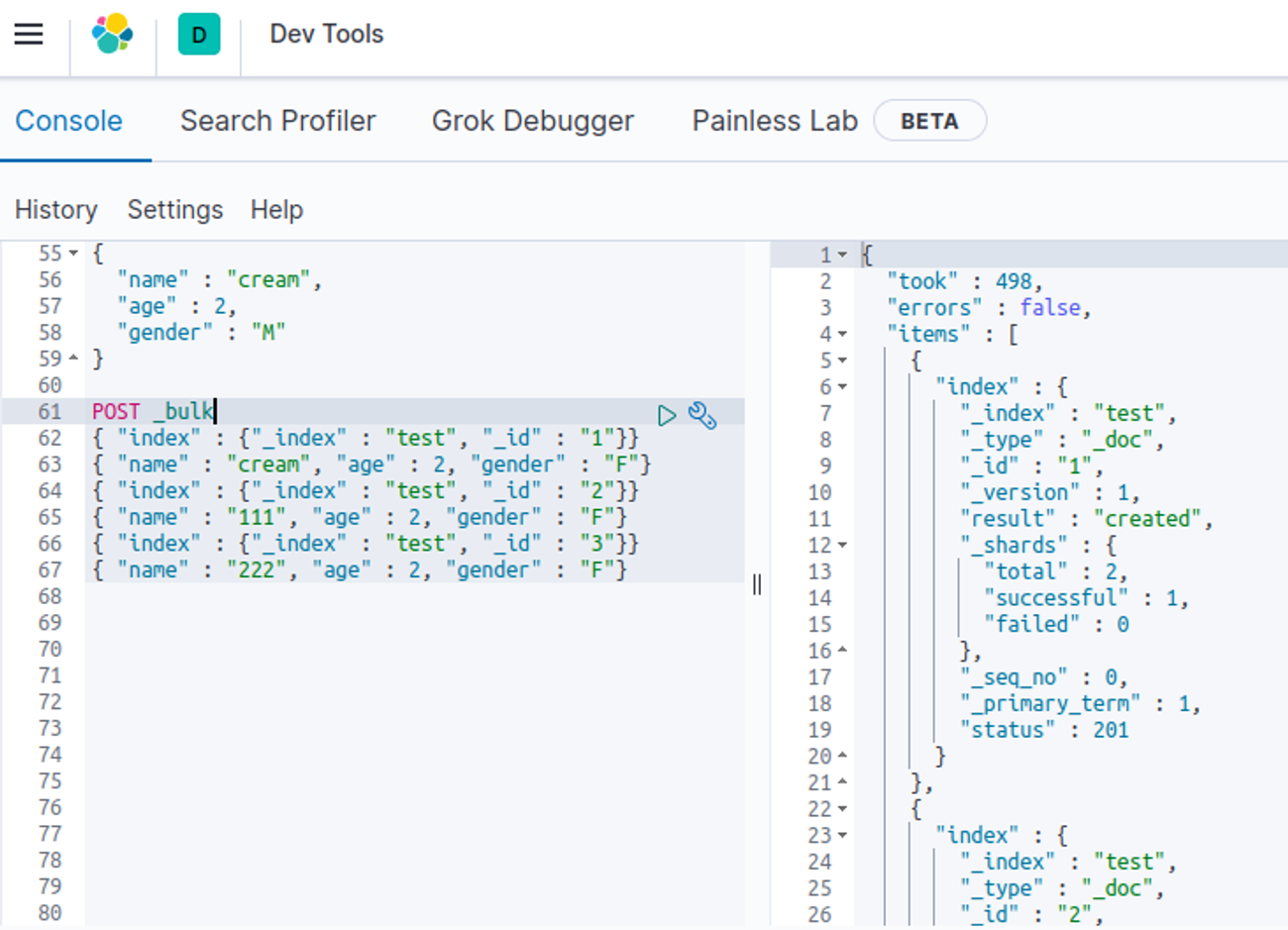
- cf. "errors" : false는 error가 발생하지 않았다는 것
- GET 통한 데이터 확인
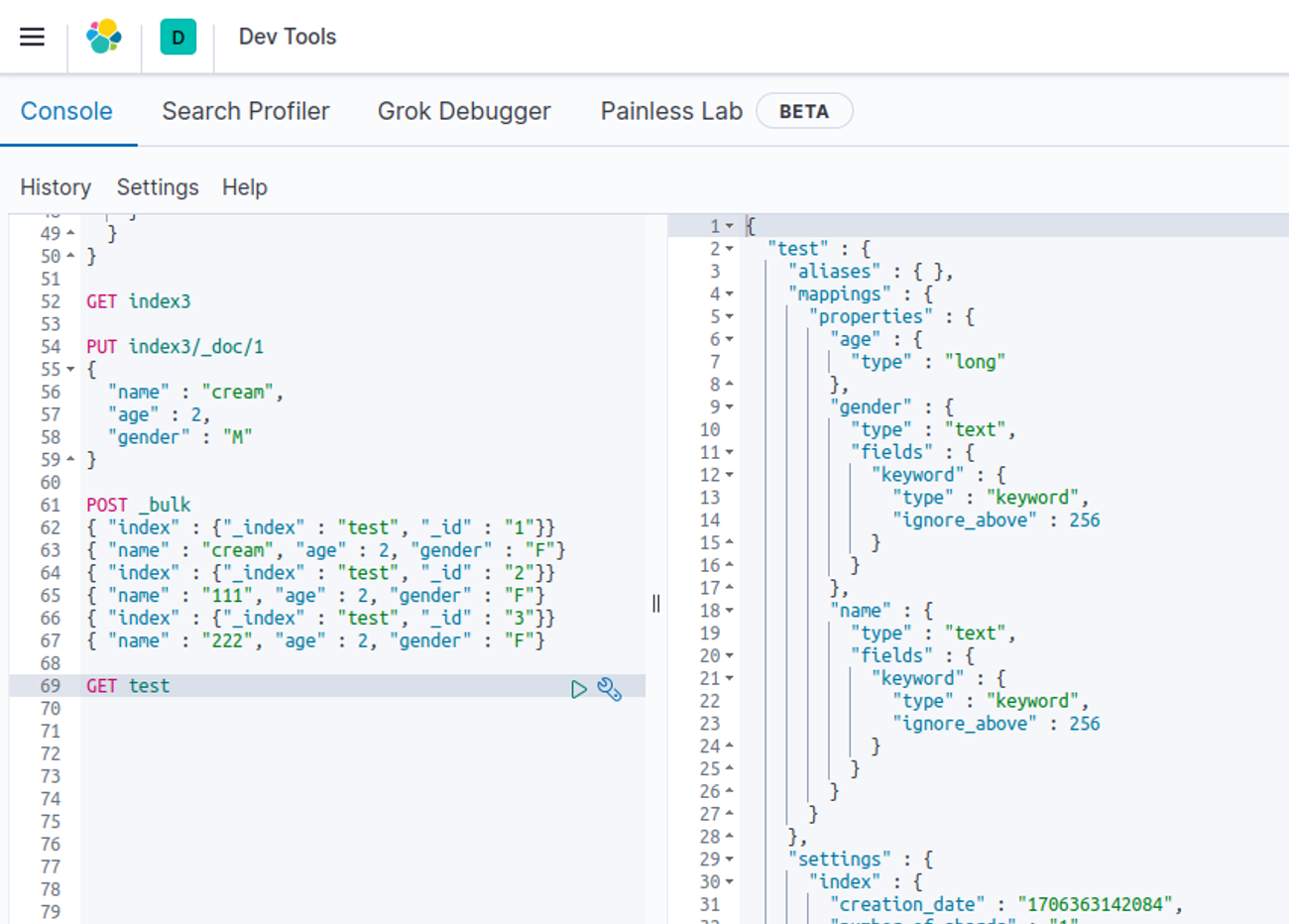
Bulk API 이용한 대량의 데이터 입력
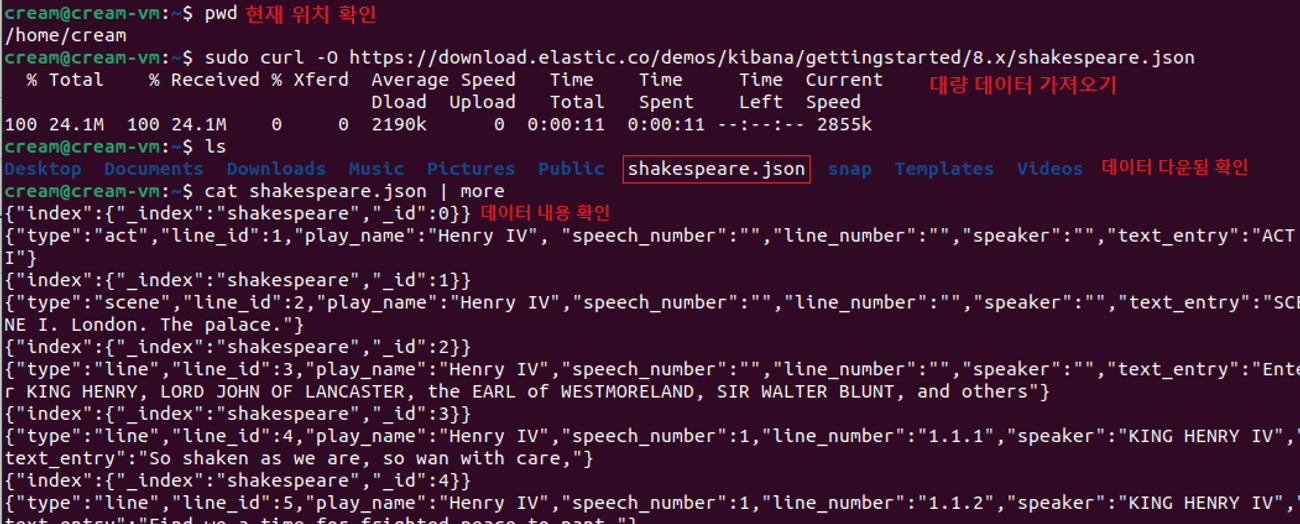
- curl 명령어 이용해 대량의 JSON 형태 데이터 가져오기
- curl 명령어 : 프로토콜들을 이용해 url로 데이터 전송, 서버에 데이터 보내거나 가져올 때 사용하기 위한 명령줄 도구/라이브러리
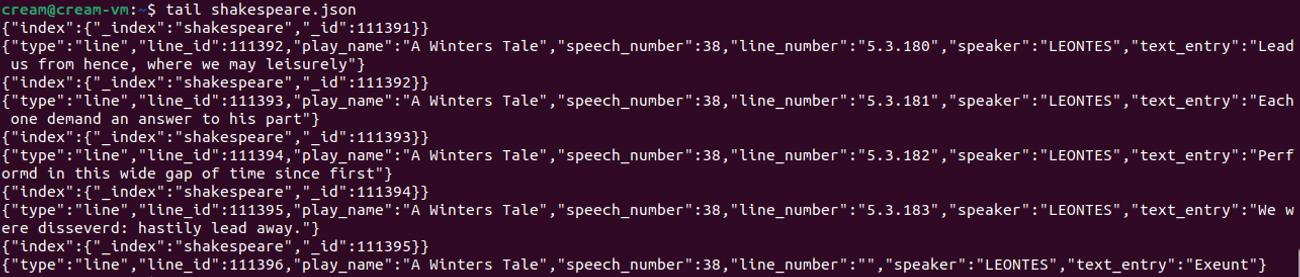
- tail 명령어 통해 데이터 양 가늠
- tail 명령어 : 파일 끝부분 출력, 실시간 로그 확인
- 먼저, 필드 타입 매핑하기
- bulk 데이터 실행 시 인덱스 실행됨
- 생성 전 매핑 작업 필요
- 다른 필드 대해서는 자동으로 매핑될 것이고, 검색이 필요한 부분을 keyword로 설정
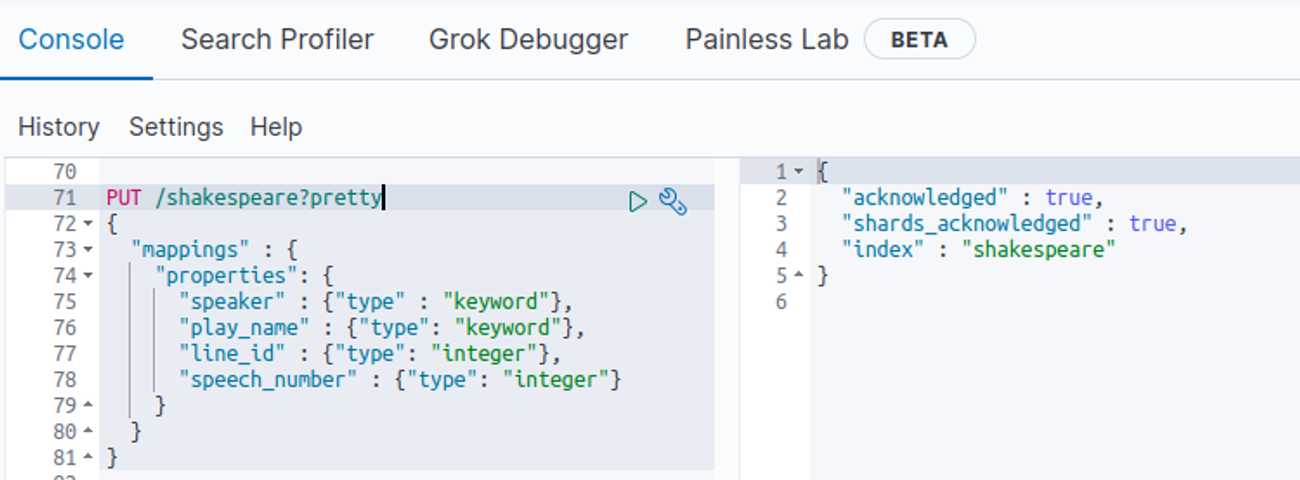
- curl 명령어 통해 대량의 데이터 입력
- Ubuntu의 shakespeare.json 파일 있는 위치에서 해당 명령어 입력
curl -H 'Content-Type: application/x-ndjson' -XPOST '127.0.0.1:9200/shakespeare/_bulk?pretty' --data-binary @shakespeare.json
- -H : 헤더 정보
- 메서드 : -XPOST
- 데이터는 @shakespeare.json 가져와 bulk 형태로 입력할 것

- 마지막으로 입력된 값을 확인할 수 있음
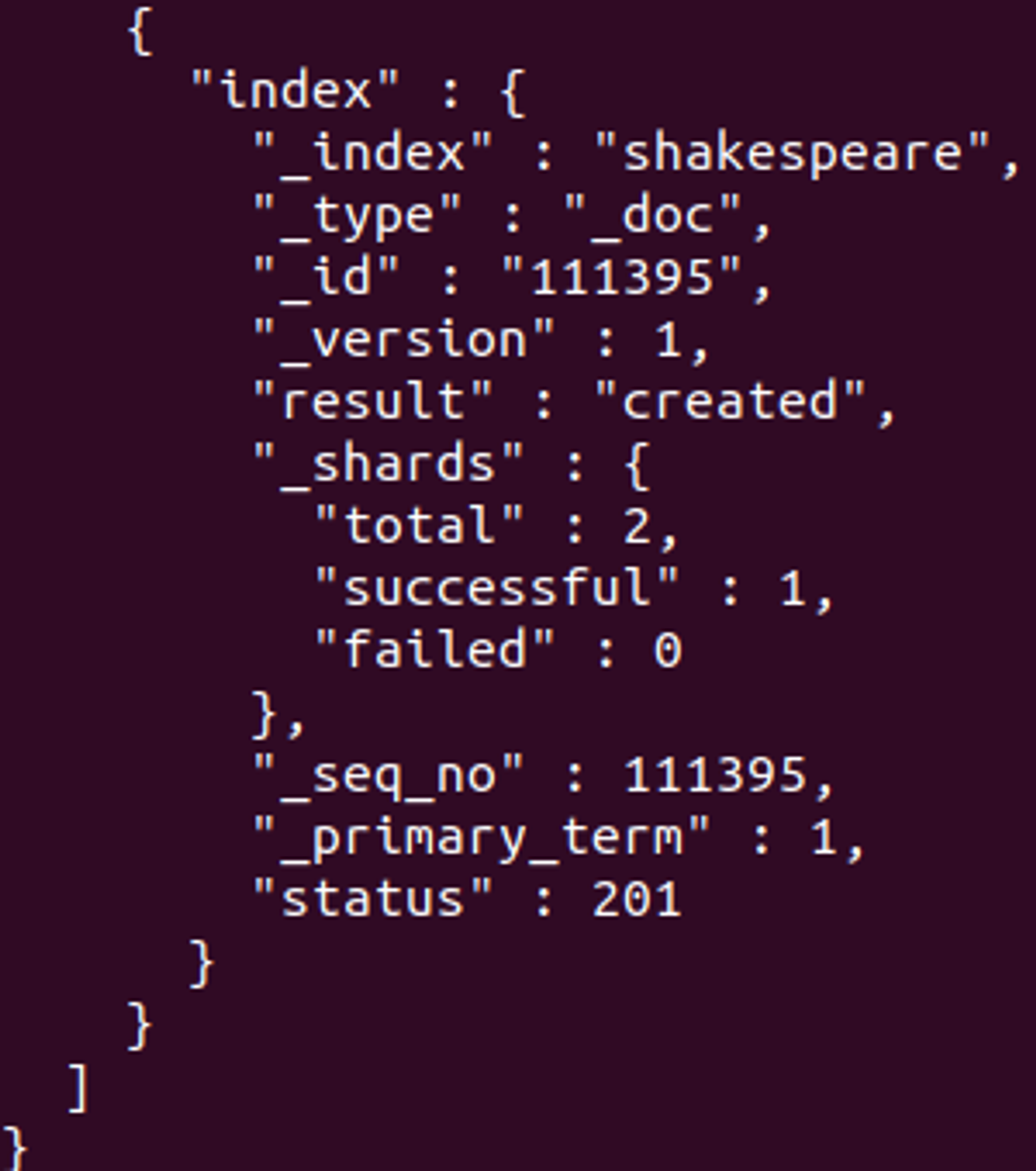
index는 shakespeare, data의 id 값은 111395, result : created
- /_cat/indices?v에서 확인
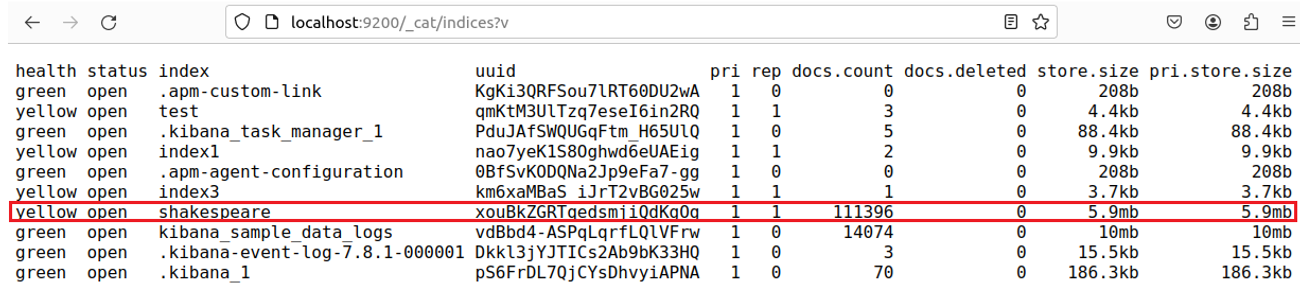
Bulk API 통해 대량의 데이터가 적재됨을 확인할 수 있음
'Data' 카테고리의 다른 글
| ELK - 등록된 데이터 시각화 (0) | 2024.02.02 |
|---|---|
| ELK - 인덱스(Index) 패턴 등록&검색 (0) | 2024.02.02 |
| Elasticsearch 인덱스 매핑 방법 (0) | 2024.02.02 |
| Elasticsearch 인덱스 생성&삭제 (1) | 2024.02.02 |
| Elasticsearch 구조 (0) | 2024.02.02 |
Contents
소중한 공감 감사합니다